
Which SEO tool should you choose first?
Choose the tool that answers your immediate question with the fewest unsupported assumptions. For an existing small-business website, Search Console, GA4 and PageSpeed Insights form a useful first-party foundation. A crawler adds site-wide technical investigation. A paid research suite or tracker is a separate decision, not an automatic next subscription.
| Tool | Best fit | Cost model |
|---|---|---|
| Google Search Console | Your own Google visibility | Free |
| Google Analytics 4 | Behavior after the search click | Standard product free; enterprise option |
| Google Keyword Planner | Market and keyword discovery | Access through Google Ads |
| PageSpeed Insights | Page performance diagnostics | Free |
| Screaming Frog SEO Spider | Detailed technical crawling | Free up to 500 URLs; paid license |
| Sitebulb | Technical audits and explanation | Paid desktop and cloud options |
| Semrush | Broad competitive research | Paid subscriptions; limited access varies |
| SE Ranking | Tracking combined with SEO research | Paid subscription |
| AccuRanker | Dedicated keyword rank tracking | Paid subscription |
| Data Studio (formerly Looker Studio) | Combining and presenting reports | No-cost version; Pro and connector costs vary |
| Yoast SEO | WordPress editorial SEO controls | Free plugin and paid options |
| Rank Math | Configurable WordPress SEO modules | Free plugin and paid options |
How did we compare these SEO tools?
This is an editorial comparison of documented capabilities and workflow fit, not a laboratory benchmark or a claim that we tested every subscription. We checked the linked supplier documentation on September 7, 2026. Our criteria are data source, task coverage, useful output, implementation effort and limits. We do not award numerical accuracy scores or assume the broadest feature list is the best choice.
Prices, packages, connector charges and account limits change. The table distinguishes access models rather than comparing temporary discounts. Verify the current package with the provider before buying.
What does each of the twelve tools do well?
The following recommendations describe fit, not a universal league table. Read the limitation alongside the capability before choosing.
1. Google Search Console: your own google visibility
Start here when you need to understand which Google searches and pages generate impressions and clicks. Country, device, date and page filters make it useful for separating market changes from site-wide totals. URL Inspection adds evidence about a specific URL, which a rank tracker cannot provide.
Useful output: A filtered query and landing-page export, followed by a shortlist of pages to investigate.
Watch out: It is not a competitor database. Average position is an aggregate, and query reporting is incomplete. Do not interpret one average as a fixed rank or join query totals to individual leads.
2. Google Analytics 4: behavior after the search click
Choose GA4 to investigate what visitors do after landing on your site: engagement, recorded form submissions and other configured key events. Analyze organic landing pages and connect meaningful actions to your sales process. Check that events fire on successful completion, not merely on a button click.
Useful output: A landing-page report showing organic sessions and the relevant key events.
Watch out: Consent, implementation and attribution affect the numbers. Linking Search Console does not reveal the organic query behind each conversion. GA4 also does not establish whether a submitted lead is commercially qualified.
3. Google Keyword Planner: market and keyword discovery
Use Keyword Planner to expand a seed topic and inspect demand estimates for the market you actually serve. Set the location and language deliberately. Compare the wording with customer questions and the pages currently appearing in search before selecting a primary keyword.
Useful output: A market-specific keyword shortlist to validate and cluster by intent.
Watch out: This is an advertising planning tool. Its competition metric concerns advertisers, not organic ranking difficulty. Access requires the relevant Google Ads account setup, and estimates are not promised traffic.
4. PageSpeed Insights: page performance diagnostics
Use PageSpeed Insights when a landing page is slow or unstable on mobile. It combines Lighthouse lab diagnostics with available Chrome real-user data. Check whether the field data describes the specific URL or the wider origin before deciding which template needs attention.
Useful output: A performance investigation tied to a page, device and test date.
Watch out: A lab score is not a ranking score. Small sites may lack sufficient field data, and a single test cannot represent every visitor. Repeat comparable tests and inspect the actual bottleneck.
5. Screaming Frog SEO Spider: detailed technical crawling
Choose SEO Spider when you need URL-level evidence for status codes, redirects, metadata, canonicals and internal links. Its exports suit detailed investigations and developer handoffs. Advanced capabilities, including JavaScript rendering and integrations, depend on the license and configuration.
Useful output: An affected-URL list with source links and a reproducible crawl configuration.
Watch out: A crawl reports what that crawl can reach. It does not prove what Google indexed, and a blocked or unlinked page may be missing. Combine it with sitemaps and Search Console.
6. Sitebulb: technical audits and explanation
Consider Sitebulb when audit interpretation and communication matter as much as raw URL exports. Its audit hints and site visualizations help explain technical patterns to a team. Desktop and cloud options support different working arrangements and crawl scales.
Useful output: A structured technical audit with supporting evidence and visual explanations.
Watch out: Automated prioritization still needs business context. A warning on a low-value archive may matter less than a broken primary service page. Check plan limits and rendering requirements before purchase.
7. Semrush: broad competitive research
Consider Semrush when research needs extend beyond your own website. Its toolkits cover areas such as keyword discovery, competitor research, backlinks, site audits and position tracking. It can bring several recurring research tasks into one environment.
Useful output: A competitor-backed opportunity list with the target country, intent and candidate URL.
Watch out: Third-party traffic, keyword and difficulty metrics are estimates. Toolkit packaging and country coverage matter. Validate an opportunity against live results and first-party performance before commissioning content.
8. SE Ranking: tracking combined with seo research
Consider SE Ranking when your routine combines a fixed keyword set with website audits and competitor research. Assess the actual number of projects, tracked terms, target markets and reporting users you need. A narrower workflow may be easier to maintain than several overlapping subscriptions.
Useful output: A repeatable rank and audit report for an agreed set of projects.
Watch out: Tracking coverage depends on the keywords and locations you configure. It is not a complete account of demand. Verify update frequency, exports and usage limits in the plan you are evaluating.
9. AccuRanker: dedicated keyword rank tracking
Shortlist AccuRanker when monitoring an agreed keyword portfolio is the central requirement. A dedicated tracker helps compare positions across configured markets and devices and keep the measurement set stable over time. That is a different job from finding every query in Search Console.
Useful output: A dated ranking history for the same keyword, location and device combinations.
Watch out: Recorded positions represent configured checks, not every personalized result. A ranking improvement does not prove additional qualified leads. Compare the trend with actual search clicks and business outcomes.
10. Data Studio (formerly Looker Studio): combining and presenting reports
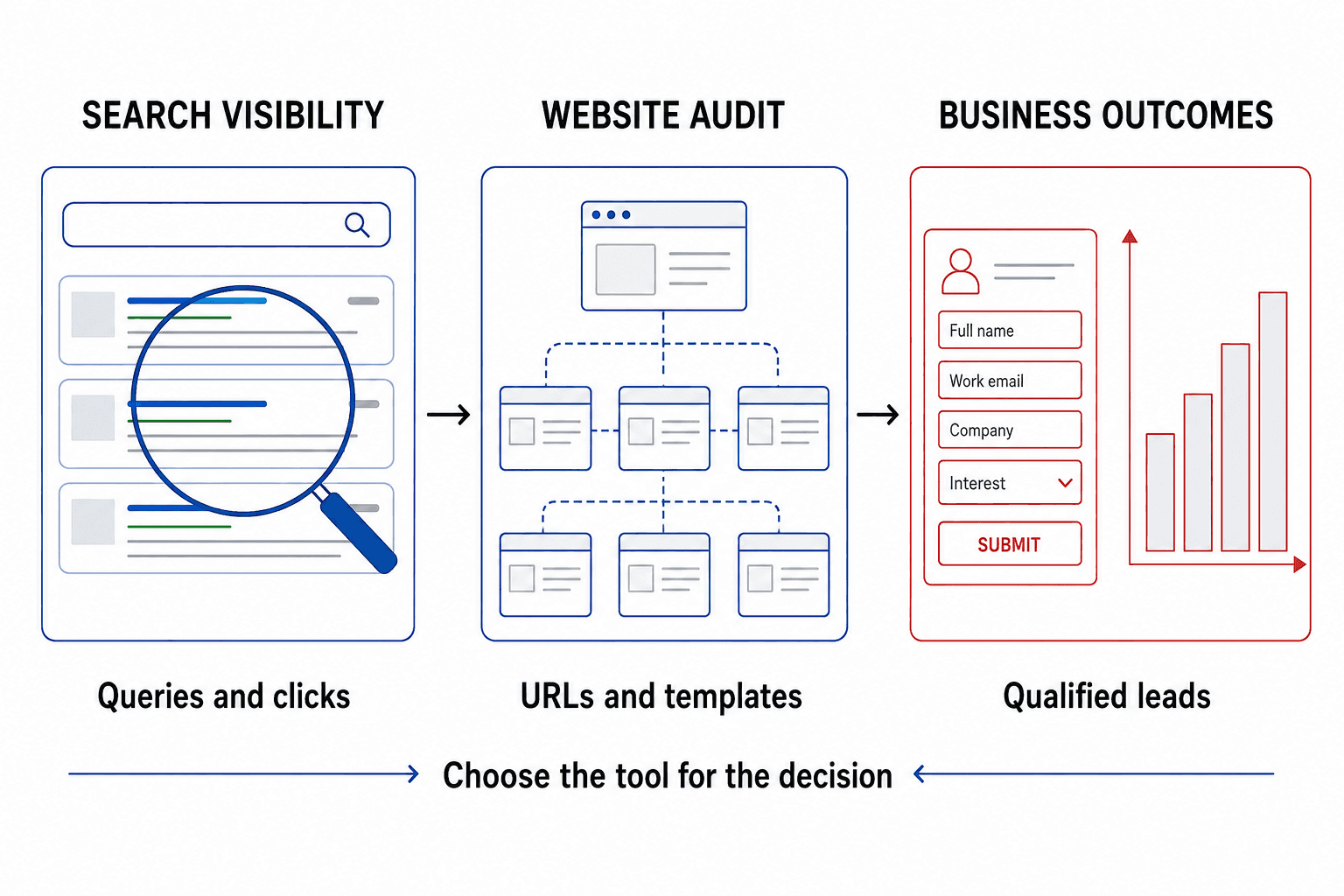
Google renamed Looker Studio to Data Studio in April 2026. Use it when stakeholders need a repeatable view of connected data instead of several separate exports. A useful SEO dashboard distinguishes search visibility, website behavior and qualified outcomes. Show the source, period and filters beside each metric.
Useful output: A dashboard with clear metric definitions and decisions for the next reporting period.
Watch out: A dashboard does not repair tracking or make incompatible datasets comparable. Check connector charges, refresh behavior and join keys. Combining query rows with page conversions can duplicate totals or imply attribution that does not exist.
11. Yoast SEO: wordpress editorial seo controls
Choose Yoast when a WordPress team needs familiar publishing controls and content guidance. It supports tasks such as SEO metadata, sitemaps and structured data. Evaluate it within your theme, editor and existing plugin setup rather than as a standalone ranking product.
Useful output: Consistent metadata and indexing policies implemented in the publishing workflow.
Watch out: A green analysis indicator is not a Google evaluation. Plugin checks cannot determine whether a page supplies original evidence or meets the intent better than competitors. Paid features do not remove the need for editorial judgment.
12. Rank Math: configurable wordpress seo modules
Consider Rank Math when its modular controls fit your WordPress requirements and the team can manage the configuration. Review the metadata, sitemap and schema output on representative page types. Test the selected modules before extending them across a production site.
Useful output: A documented set of active SEO controls, checked against the rendered website.
Watch out: More enabled modules do not automatically mean better SEO. Avoid overlapping canonical or schema output from another plugin or theme. A migration from Yoast needs validation, not just an import success message.
Which tool stack fits a small business, an agency or an international site?
Start with the work you can actually perform each month. The scenarios below are illustrative selection examples, not case results or promises that a particular stack will produce growth.
- Small service business: Search Console, GA4 and PageSpeed Insights can identify existing opportunities and on-site problems. Add one WordPress SEO plugin only if the site uses WordPress. Arrange a focused crawl when the question requires it.
- Technical consultant: add Screaming Frog or Sitebulb for reproducible investigations and developer-ready evidence. Trial both on a representative site before choosing; buying both is not the default.
- Multi-client agency: compare a suite such as Semrush or SE Ranking against the actual research, reporting and seat requirements. Data Studio becomes useful when clients need a consistent presentation layer.
- International company: test country and language coverage before purchasing. A tracker such as AccuRanker can follow a stable market-specific keyword set, while Search Console shows actual visibility in each country.
A WordPress plugin and an all-in-one research suite are not alternatives for the same job. See our WordPress SEO approach for platform controls, and the SEO tools hub for task-specific guides.
Why do Search Console and rank trackers show different positions?
Search Console summarizes impressions that occurred in Google, while a tracker checks the configured query, place, device and time. A changing mixture of searches can change the Search Console average even when your tracked keyword set looks stable. Compare equivalent markets and devices, and investigate the relevant landing page instead of treating the difference as proof that one tool is broken.
Neither position metric measures lead quality. Use GA4 for on-site outcomes and an appropriate sales record to understand what happened after the visit.
How do you test a paid SEO tool before committing?
- Write one decision the tool must support, such as finding indexable pages with broken internal links.
- Select a representative site, page set or target market that you are authorized to analyze.
- Run the workflow with documented settings and inspect several findings manually.
- Export the evidence and check whether a colleague can reproduce and act on it.
- Calculate the full recurring cost: plan, seats, tracked keywords, connectors and internal review time.
- Buy only when the workflow improves a recurring task. Cancel duplicate subscriptions that do not change decisions.
For example, if a hypothetical tool saves three hours per month but adds two hours of manual report cleanup, evaluate the remaining hour of benefit against its cost. A long automated report is not automatically useful output.
What can SEO software not decide for you?
Tools do not establish your commercial priorities, verify every content claim or guarantee indexing and rankings. Keyword volume does not decide whether you need a new page. Compare search intent, competing page types and existing coverage first. A diagnostic score should lead to a validated issue, a named owner and a testable change.
For help turning findings into an implementation plan, explore a technical SEO audit or discuss the scope through our contact page.
Frequently asked questions
What is the best free SEO tool for a small business?
Google Search Console is a practical starting point for understanding your own Google visibility. Add PageSpeed Insights for performance and correctly configured GA4 for on-site outcomes. This combination answers different questions; none of the three replaces keyword research, useful content or implementation.
Which SEO tool should an agency buy first?
Buy for the recurring bottleneck. An agency delivering technical audits may need a crawler first; one managing several markets may need rank tracking or competitor research. Test an export, reporting workflow and handoff before subscribing. Check project, user, keyword and rendering limits in the actual plan.
Can free SEO tools be enough?
Yes, for a limited scope. Free first-party tools can reveal existing search opportunities, basic indexing issues and on-site behavior. Paid tools become useful when wider competitor coverage, larger crawls, repeatable rank checks or reporting scale change what you can deliver. The required workflow determines the need.
Are SEO tool scores and traffic estimates accurate?
They are useful within their definitions, but they are not interchangeable with Google rankings or your analytics. A difficulty score is a vendor model, a crawl score summarizes selected checks, and traffic estimates depend on coverage and assumptions. Validate important decisions using multiple relevant forms of evidence.
Can one SEO tool guarantee better rankings?
No. Software can collect evidence, identify patterns and speed up work. Results still depend on the decisions, implementation, content, competition and search systems. Measure completed improvements and relevant business outcomes rather than treating a subscription or a high audit score as success.